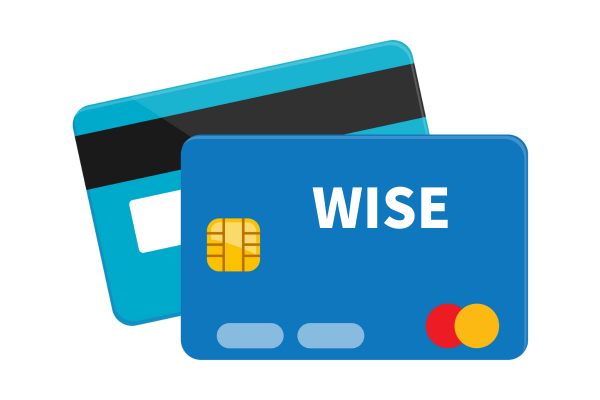
When the credit card I issued in Japan stopped working, the Wise Card was what saved me and helped me through my worries. Wiseカード👉 Wise Card
It's a debit card from Wise, famous for international money transfers, but since I was able to use it smoothly both in Japan and abroad, I’ve put together my experiences in a Q&A format today.
- ❓ What on earth is a Wise Card?
- ❓ Can an overseas-issued Wise Card be used in Japan?
- ❓ What happens if your balance is insufficient?
- ❓ Are exchange rates and fees high?
- You won't lose money if you use a "Local Currency Account" for card payments abroad
- ❓ What are the precautions when using a digital card?
- ❓ What are the precautions when using a digital card?
- ❓ Can you get a refund to a digital Wise Card?
- ✈️ Conclusion
❓ What on earth is a Wise Card?
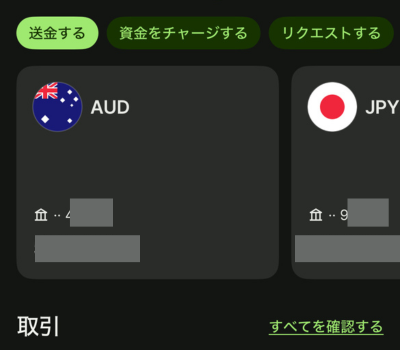
The Wise Card is a multi-currency debit card, and best of all, it has no annual fee. Even if you don't have a foreign bank account, you can easily manage multiple currencies on the app, and the exchange rates are very reasonable. In my case, I mainly use Australian Dollars (AUD), but exchanging to Japanese Yen (JPY) is completed in just a few seconds.
In my case, I mainly use Australian Dollars (AUD), but exchanging to Japanese Yen (JPY) is completed in just a few seconds.
The process goes like this:
- Deposit funds from your actual bank account into your home currency (AUD) account (e.g., $300).
- Easily open a Japanese Yen account within the app.
- Exchange the amount you want within Wise (e.g., $100) into Japanese Yen and move it to your JPY account.
- Set up Australian Dollar and Japanese Yen accounts in less than 5 minutes. A small fee is charged during the exchange.
You can check the details of the WISE Card from the WISE Official Website
❓ Can an overseas-issued Wise Card be used in Japan?
Yes, I was able to use it without any problems.
What I actually used in Japan was a Wise digital card issued in Australia.
I opened a Wise account, and in addition to my Australian Dollar (AUD) account, I also created a Japanese Yen (JPY) account. Then, I applied for a Wise digital card. The card number was issued immediately—in just a few seconds.
Physical cards cost about $10 in fees and take a little time to arrive. In contrast, digital cards are free, created instantly, and you can even issue multiple cards.
Everything was ready. But then a question popped into my head...
Can you really pay in Japanese Yen?
To put it briefly, yen payments worked just fine. Since the card has a Visa logo on it, it is treated the same as a regular Visa card.
To put it briefly, yen payments worked just fine. Since the card has a Visa logo on it, it is treated the same as a regular Visa card.
How do you specify the payment currency for a Wise Card?
You don't need to specify anything special.
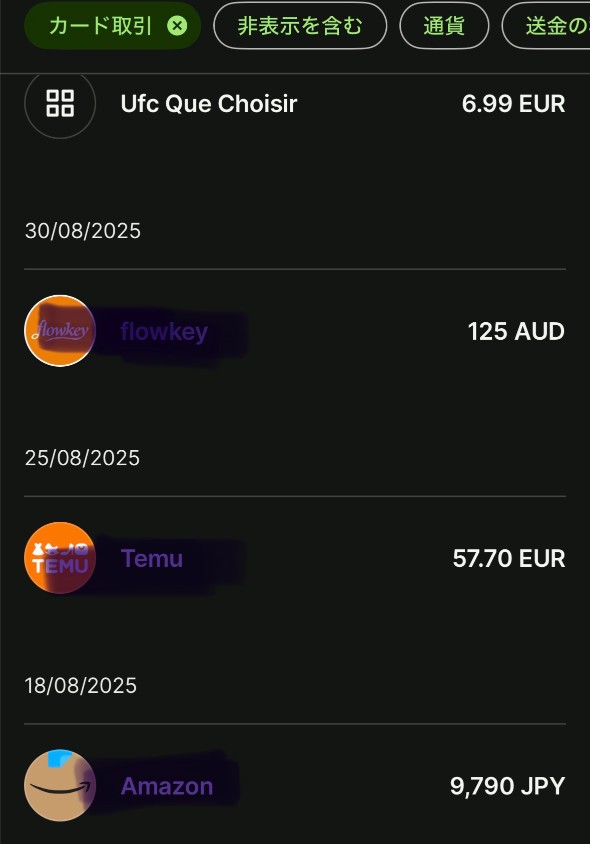
You can issue multiple digital cards, but there is no setting like "use this digital card for yen, and this digital card for dollars." Every time you use a card, the system automatically deducts funds from the necessary currency. Since my payment on Amazon was actually in Japanese Yen, the purchase was settled directly in Japanese Yen.
Currently, I have three currency accounts: Australian Dollars, Yen, and Euros. A single digital card instantly debits across these three currencies.
❓ What happens if your balance is insufficient?
For example...
What happens if you try to make a 14,000 yen purchase when you only have 10,000 yen in your Wise Japanese Yen account?
To be honest, I haven't tried this yet (or rather, I'm a bit scared to and don't plan on testing it... haha), but according to the official Wise website:
The shortfall will be automatically converted and covered from your other currency accounts.
In other words, if you have a balance in your Australian Dollar account, for example, the remaining 4,000 yen will be automatically exchanged and paid.
I see! How clever!
❓ Are exchange rates and fees high?
To put it shortly, they are quite low.
Regular banks charge hefty fees when exchanging AUD to JPY, but Wise only charges "near real-time exchange rates + a small fee". In practice, the fees are much cheaper than going through a bank. Also, the more you exchange, the more cost-effective it becomes.
Plus, you can check the conversion rates and fees right inside the Wise app, making it very transparent.
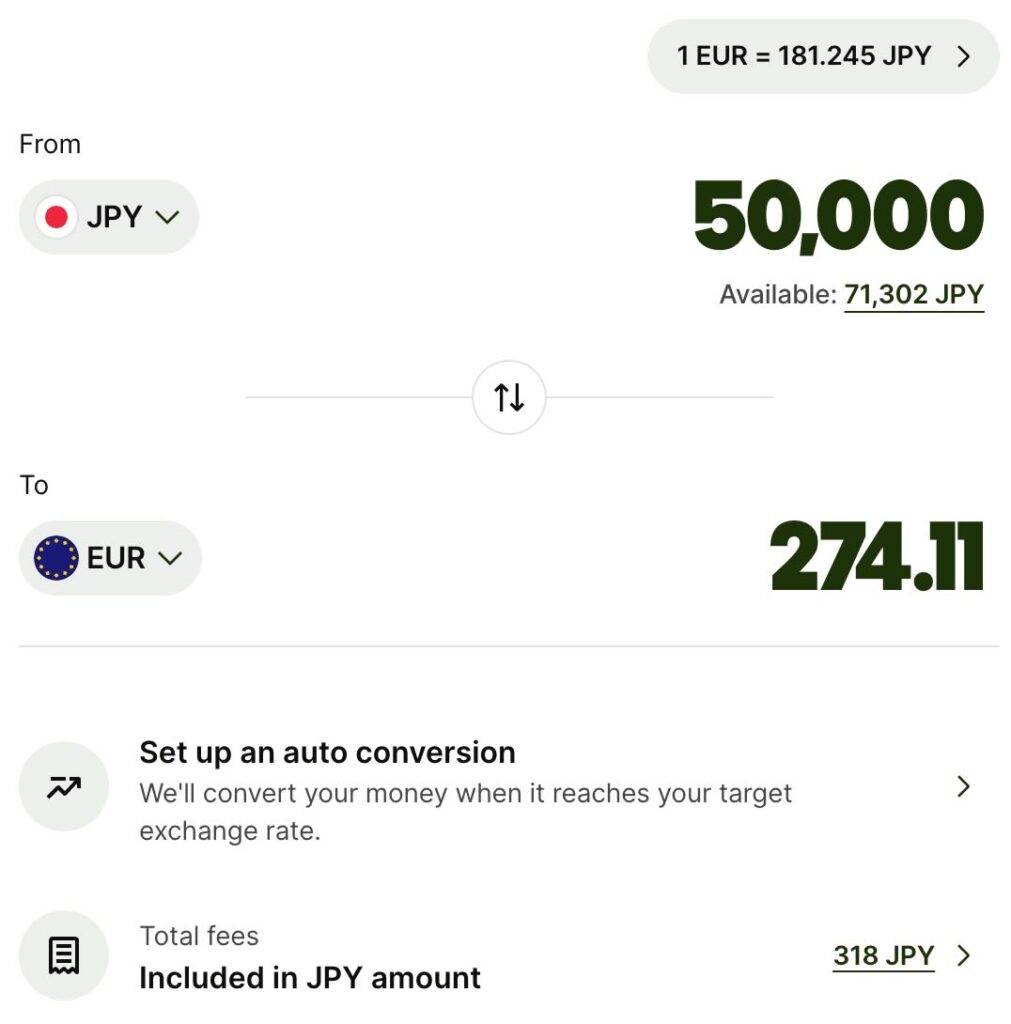
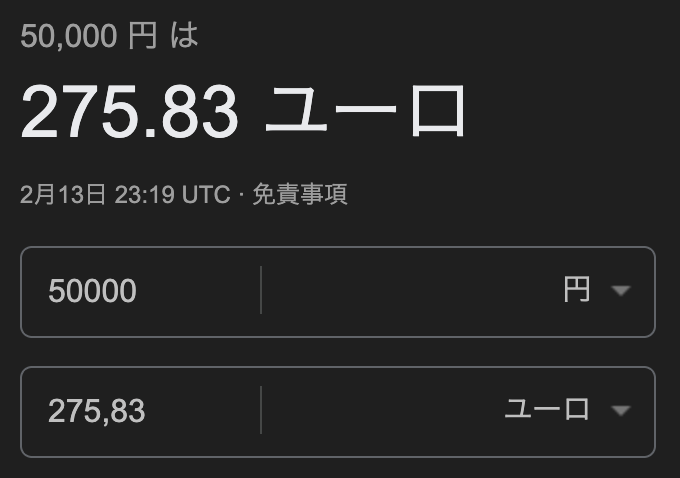
ちなみに、実際の手数料はこちらです。
| Comparison Item | Wise | Google Exchange Rate (Reference) |
|---|---|---|
| Exchange Amount | 50,000円 | 50,000円 |
| Exchange Rate | 1 EUR = 181.24 JPY | Mid-market rate |
| After Conversion | 274.11 EUR 274.11 EUR (⭐️ Includes receiving fee) | 275.83 EUR (Excludes fees) |
| Amount Received | 274.11 EUR | Unknown (fees deducted) |
- Wise offers rates close to the mid-market rate + transparent fees.
- Google rates are purely theoretical foreign exchange figures.理論上の為替相場
- The actual difference is only about 1.72 EUR (roughly 310 yen), which is very small.
- Since fees are low, it's also a good idea to exchange currency ahead of time when the rates are favorable.
You won't lose money if you use a "Local Currency Account" for card payments abroad
When traveling abroad, if you present your card at a restaurant or shop, the terminal might display this prompt:
"Would you like to pay in Yen or in local currency?"
At first glance, paying in Japanese Yen might look safer.
But actually, this is a trap.
This mechanism is called DCC (Dynamic Currency Conversion), where you may be billed in yen converted at the merchant's own arbitrary rate.
For example:
Real-time rate: 1 EUR = 183 JPY
DCC rate: 1 EUR = 210 JPY
For a 100 EUR payment:
✔ Pay in local currency → Approx. 18,300 JPY
✖ Pay in Yen → Approx. 21,000 JPY
The difference is about 2,700 JPY.
This gap widens with every dinner, hotel stay, or shopping trip, sometimes resulting in a difference of over 10,000 yen during a trip.
What happens with a Wise Card?
If you hold a Euro account with your Wise Card:
✔ Payments are settled directly in Euros
✔ Deducted from the Euros you exchanged in advance
✔ No unnecessary conversion markups
In short, all you need to do is select "Pay in local currency".
✈️ What you need to do before/during your trip (When opening an account in Japan)
1.Add a Euro Account (EUR Balance)
Easily add it within the app.
2.Exchange Yen to Euros
Check the rates and fees, then exchange.
1. Add a Euro Account (EUR Balance)
Easily add it within the app.
2. Exchange Yen to Euros
Check the rates and fees, then exchange.
3. Select "Pay in Euros" when booking tours
Simply pay using your Wise Card.
Wiseカードで決済するだけ。
That's all there is to it.
If you exchange money when rates are favorable, you can use it without worrying about exchange fluctuations during your trip.
Since you exchange from your main account into each currency, as long as you have funds in your main account, you can exchange money at good rates even while traveling.
You can also create one before your trip just in case. Check the details on the official website. official website
❓ What are the precautions when using a digital card?
When making payments with a digital card while shopping at stores (including online), you won't have any major issues, but when using physical stores, make sure to check if the store supports contactless payment.
Since it is a digital card, it cannot be used at stores that do not support contactless payments.
If you are worried, why not also bring a regular, non-digital Wise Card (paid) along with you?
❓ What are the precautions when using a digital card?
When making payments with a digital card while shopping at stores (including online), you won't have any major issues, but when using physical stores, make sure to check if the store supports contactless payment.
Since it is a digital card, it cannot be used at stores that do not support contactless payments. If you are worried, why not also bring a regular, non-digital Wise Card (paid) along with you?
❓ Can you get a refund to a digital Wise Card?
- Exchange rates are transparent and low
- Multiple currencies can be managed via the app
- Can be used in Japan at any Visa merchant
- Card management (locking/checking balances) is completed entirely within the app
- Also compatible with Apple Pay / Google Pay (physical card not required)
- Exchange currency yourself by watching exchange rate timingsする
- Refund processing to digital cards went smoothly
The Wise Card might as well be called the "ultimate card to use during travels". Just creating one before your trip brings a totally different level of peace of mind.
❓ Are there any disadvantages to the Wise Card?
Since the Wise Card is a debit card, it does not offer point rewards.
While it has no reward functionality, regular Japanese credit cards do award points when used. However, weigh points against high DCC (Dynamic Currency Conversion) to see which is actually a better deal—try checking your own credit card's DCC rate.
決済機能に関しては全くないですが、日本のクレジットカードは利用するとポイントを付与されます。しかし、ポイントと高いSince the Wise Card is a debit card, it does not offer point rewards.
While it has no reward functionality, regular Japanese credit cards do award points when used. However, weigh points against high DCC (Dynamic Currency Conversion) to see which is actually a better deal—try checking your own credit card's DCC rate. を天秤にかけるとどちらがお得になるか。お持ちのクレジットカードのDCCレートを調べてみてください。
❓ Is the Wise Card easy to use?
Yes, it is very easy to use. I use an iPhone and have it registered with Apple Pay. Since my Japanese card finally stopped working, I now use the Wise digital card for all my shopping on Amazon Japan. I use it by separating it from my everyday card, specifically for Amazon Japan. When my Japanese Yen runs low, I transfer Australian Dollars or Euros when exchange rates are favorable.
❓ Can you make a Wise Card from Japan?
Of course. It is highly recommended for anyone planning an overseas trip. Compared to using Japanese credit cards abroad, the exchange rates are better. Plus, you can see at a glance how much you spent during your trip.
You can easily create digital cards or paid physical cards from the official website here.
👉 WISE Official site
✈️ Conclusion
For those living abroad who frequently return to Japan, students studying abroad, working holiday makers, residents overseas, and anyone planning an overseas trip, the Wise Card is a tremendous support.
Not only can you use it normally in Japan and abroad, but you can also easily manage currencies using the app.
There are many small stressors when living or traveling abroad, but just making "money flows smooth" can ease your mind significantly.
Exchanging Japanese Yen ↔️ Euros is so easy. I really wish I had started doing this much sooner. If you are converting Euros back to Yen, now is the time with the weak yen (as of April 2026). It's a fantastic deal if you are heading from the Eurozone to Japan this summer.
When temporarily returning to your country, it's also nice to be able to complete bookings for local experiences and activities online.
VIATOR, where you can pay directly with your Wise Card and book in English, is very convenient.
👉 Find Local Tours
Wise Card can be used not only for overseas use but also as an everyday card, making it a very handy card. Creating a WISE card is free. It's a great idea to make one just for your overseas trip and consolidate your travel expenses onto it. Because payments are debited immediately, it's easy to keep track of how much you've spent. Even if you don't use it, there are no annual fees, so making one just in case won't cause any loss.
If you don't have a WISE card yet, it's worth making one just in case.
👉 the WISE Official Website